
30-Day AI Literacy Plan
From confused to capable, one day at a time

These are the step-by-step IKEA instructions you refused to use. The ones you finally picked up only after assembling the same drawer wrong three times. You don’t have to read them all before you start. Begin with Day 1, do the thing, and come back for the next one. Thirty days of small steps and that beautiful Swedish dresser will be assembled perfectly with no extra parts left over and drawers that actually close softly as advertised.
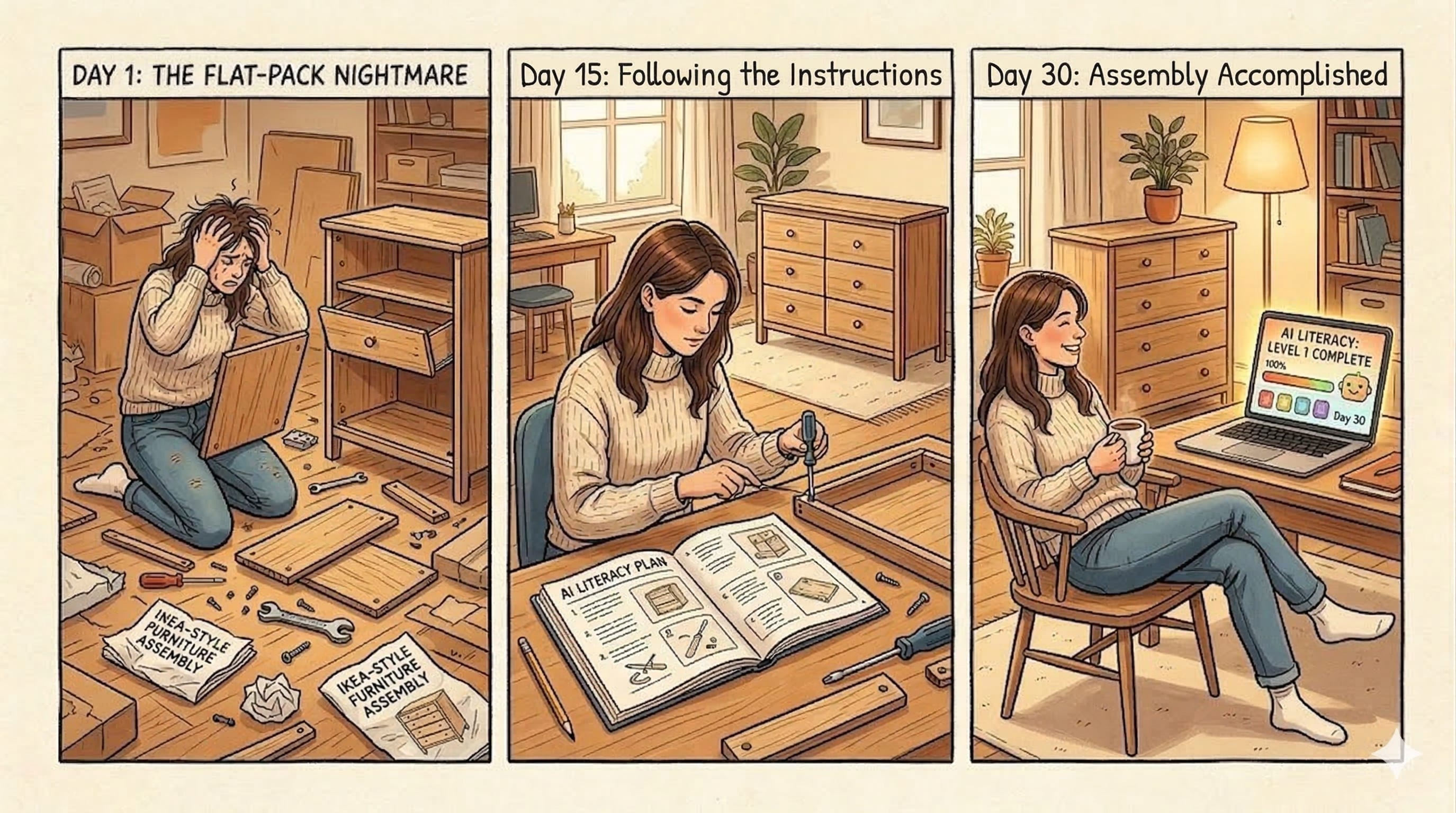
OBJECTIVE: By the end of this plan you will know how to oversee a digital workforce and have a documented capstone exercise to prove it.
Why This Matters
This plan reflects the AI landscape as of 2026. The tools and techniques are current, but the field moves fast. If you are reading this in a later year, the principles hold. Verify that specific tools mentioned are still the best options available.
According to the 2025 EdAssist by Bright Horizons Education Index (conducted by The Harris Poll among 2,017 U.S. employees), 42% of employees expect AI to significantly change their role within the next year, yet only 17% use AI frequently today, and 42% say their employer expects them to learn it on their own. The gap isn’t about access to tools. The tools are widely available and mostly free. It’s about confidence, judgment, and knowing how to use AI without being misled by it.
The Literacy Gap and the Convergence Divide: The barrier is no longer access. Anyone with a phone and internet connection can use these tools today. The divide is between people who have wired AI into their workflow and those who treat it like a search engine they occasionally visit. Awareness is table stakes. Habitual, critical use is the actual differentiator. That is what this plan builds.
This plan is built for anyone with little or no prior AI experience, or anyone who just needs a confidence boost. It doesn’t require technical knowledge or any paid software. The goal is to move from unfamiliar to genuinely capable across four dimensions: understanding, using, integrating, and evaluating AI. It is structured using the ADDIE instructional design model (Analysis, Design, Development, Implementation, and Evaluation), applied iteratively so that reflection and verification are built into every week rather than reserved for the end.
That last one (evaluating) runs through every week of this plan. Learning to recognize when AI is wrong is not an advanced skill. It is a foundational one.
Before You Begin: A Note on Data and Privacy
Two rules that apply before you paste anything into any AI tool.
Company and proprietary data: Always verify that the tool you are using is authorized by your employer before submitting anything work-related. Many free and consumer-grade AI tools are not approved for business use, and data entered into them may be stored, logged, or used in ways that conflict with your organization’s security and confidentiality requirements. When in doubt, check with your IT or compliance team before proceeding.
Personal information: If you are using any AI tool with personal data (your own or anyone else’s), read the terms of service first. Understand what the provider does with the information you submit, whether it is retained, and whether it can be used to train future models. Being comfortable with those terms is your call to make, but it should be an informed one.
These rules apply regardless of how the tool is marketed or how widely it is used. The exercises in this plan are designed to be completed with non-sensitive, non-proprietary content. If you are ever unsure whether something is safe to submit, use a sanitized or fictional version of the task instead.
A Critical Concept Before You Start: Probabilistic vs. Deterministic
Before touching any AI tool, there is one concept worth understanding. It changes how you interpret everything AI produces.
Familiar workplace software is typically deterministic: give it the same input, get the same output, every time. A spreadsheet formula, a database query, a calendar app: they are rule-based. Correct or incorrect. Repeatable.
AI language models are probabilistic: they generate responses by predicting the most statistically likely sequence of words given your input and their training data. They do not retrieve stored facts. They do not look things up (unless explicitly given a search tool). They construct plausible-sounding text. This means:
The same question asked twice may get a different answer
Confidence in tone does not indicate accuracy in content
The AI can be completely wrong while sounding completely certain
It performs best on tasks where “plausible and useful” is the goal, and worst on tasks where precision and verifiability are required
This is not a flaw to work around. It is the nature of the technology. Once you internalize it, you’ll use AI far more effectively and far more safely.
The Street Rule: If you wouldn’t bet $20 on the AI’s answer being right, don’t hit send until you’ve checked a credible source.
Week 1: Build a Mental Model (Days 1–7)
Day 1: What AI Actually Is (and Why This Moment Is Different)
Estimated time: 20 minutes Read one short, plain-language explainer on how large language models work. IBM’s Think Insights and Google’s “Learn About AI” hub are both free. The goal is not to understand the math. It is to understand that AI predicts likely, useful responses based on patterns in its training data. That single concept is the foundation for everything else.
It also helps to understand that this moment fits a pattern. In the Mainframe era, computing was a physical destination: if you weren’t in the room, you waited. The PC moved the brain to the desk, and the competitive edge went to whoever navigated software fastest. The internet collapsed the friction of information. The cloud collapsed the friction of infrastructure. Each shift had a new literacy requirement, and the advantage moved to whoever adapted earliest. AI is the next shift, and the pace is faster than anything that came before. This isn’t unprecedented. It’s accelerated.
Day 2: First Contact
Estimated time: 30 minutes Sign up for a free account on Claude (claude.ai), Gemini (gemini.google.com), Microsoft Copilot (copilot.microsoft.com), or ChatGPT (chat.openai.com). Spend 20–30 minutes just talking to it. Ask it to explain your job to a 10-year-old. Ask it something you already know the answer to. Ask it something absurd. The only objective is to break the intimidation barrier.
Then try this: ask the same question to two different services. Gemini and Claude, for example. If the answers converge, your confidence in the response goes up. If they diverge, that is your signal to verify before acting on either one. This cross-checking habit takes thirty seconds and will serve you every day for the rest of this plan.
Day 3: The Probabilistic Reality
Estimated time: 20 minutes Today’s exercise has two parts, and both are worth doing deliberately.
First, ask the AI the same question three times in the same session, worded slightly differently each time. Notice how the answers vary in structure, emphasis, and sometimes in substance. This is not a bug. It is the probabilistic nature of the model at work. There is no single “correct” answer stored somewhere that the AI retrieves. Each response is generated fresh, which means two things: you may get a better answer on the second or third try, and you should be cautious about treating any single response as definitive.
This has a practical implication that carries through the entire 30 days. When a specific answer matters, ask multiple ways and compare the results. If the answers converge, that is a reasonable signal of reliability. If they diverge, that is a signal to verify externally before acting on any of them.
Second, test the boundary between reliable and unreliable territory. Try “What is 2 + 2?” (reliable) versus “What is 17% of 4,382?” (less reliable, and worth checking with a calculator). The model handles pattern-based tasks well and precise computation poorly. Knowing where that line falls in your own work is one of the most useful calibrations you can make this month.
Day 4: Your First Hallucination Hunt
Estimated time: 20 minutes Ask the AI to name three books by a real author you know well, or to describe a specific law or policy in your field. Now go verify those claims using a search engine. Odds are good that at least one detail is subtly wrong, a date, a title, a name, an attribution. This is a hallucination: the model generating confident, coherent, incorrect information. Write down what you found. This is the most important exercise of the entire 30 days.
Day 5: Understanding Why Hallucinations Happen
Estimated time: 15 minutes Hallucinations are not random glitches. They happen because the model’s job is to produce plausible text, not verified facts. It has no internal alarm that fires when it doesn’t know something. It will fill gaps with patterns that sound right. It is especially prone to hallucinations when asked about specific names, dates, statistics, citations, niche topics, recent events, or anything outside its training data. Spend Day 5 reading one short article on AI hallucinations. Search “why do LLMs hallucinate” and pick any reputable result. The goal is to give the phenomenon a name and a cause in your mind.
Day 6: The Better Question Framework
Estimated time: 25 minutes A prompt is just an instruction, but not all instructions are equal. Specifications beat instructions. The quality of what AI produces is a direct reflection of the context you give it. “Write an email” is an instruction. “Write a professional but warm follow-up email to a client who missed our last meeting; keep it under 100 words, avoid accusatory language, and end with a suggested reschedule date” is a specification. Notice what changes.
The Better Question Framework has three core inputs: persona (who should the AI be in this response?), context (what does it need to know about the situation?), and constraints (what are the boundaries: length, tone, format, what to avoid?). You don’t need all three every time, but each one you add narrows the probabilistic space the model draws from, and better-constrained prompts produce more predictable, useful results.
There’s a deeper principle here too. Kevin Kelly, co-founder of Wired, argued that as AI makes answers cheap and instant, human value shifts to the question itself. “A good question,” he wrote, “is what humans are for.” The ability to ask a well-specified question is not a minor administrative skill. It is the core competency of working with AI. Practice building at least two fully specified prompts today using real work tasks.
Day 7: Week 1 Reflection
Estimated time: 15 minutes Write down (or tell the AI itself) three things that surprised you this week. Then ask the AI: “What kinds of tasks are you most likely to make errors on?” Its answer will be informative. Compare what it says to what you actually experienced.
Week 1 Summary: What You Now Know
You started this week not knowing what AI actually is. You finish it knowing something most people who use AI daily have never stopped to understand: it predicts, it does not retrieve. That single concept is the foundation everything else in this plan is built on.
You have seen a hallucination in the wild. You know why they happen and what they look like. You have felt the probabilistic nature of the technology by asking the same question multiple ways and watching the answers shift. And you have built your first real prompt using persona, context, and constraints.
The mental model is in place. Week 2 puts it to work. The furniture is starting to take shape. Whether the drawers close correctly depends on what happens next.
Week 1 Scorecard
I can explain the difference between probabilistic and deterministic in my own words
I found at least one hallucination and wrote it down
I built at least one prompt using persona, context, and constraints
I asked the AI what kinds of tasks it makes errors on and compared its answer to my experience
Week 2: Daily Work Applications (Days 8–14)
Each day this week, apply AI to a real work task. Start low-stakes. The goal is to build practical confidence while developing your verification instincts simultaneously.
Day 8: Email Drafting
Estimated time: 20 minutes Use AI to draft or clean up one work email. Do not submit the output unchanged. Edit it. Notice what it gets generic, what it gets right, and where your voice needs to come back in. This editing process is itself a skill.
Day 9: Summarization
Estimated time: 20 minutes Paste a long email chain, document, or meeting notes into the AI and ask for a five-point summary. Then read the original and compare. Did it capture the most important points? Did it omit anything material? Did it add anything that wasn’t there? That last one (additions) is a hallucination risk worth checking.
Day 10: Research and the Verification Habit
Estimated time: 25 minutes Ask the AI to explain an unfamiliar concept you encountered at work this week. Then verify at least two of its specific claims using a search engine or an authoritative source. This is the core habit of a literate AI user: treat AI output as a well-informed first draft, not a final source. Build this into your workflow now, not later.
Day 11: Brainstorming
Estimated time: 20 minutes Give the AI a work problem you’re stuck on and ask for ten possible approaches. You won’t use most of them. That’s fine. The exercise demonstrates AI’s real value as a thinking partner (not an oracle), but a useful sounding board that surfaces options you might not have considered.
Day 12: The Confidence Trap
Estimated time: 20 minutes This day is specifically about calibration. Ask the AI a question where you know it will likely be wrong, something about very recent events, a highly specific internal company process, or a niche regulatory detail. Pay close attention to its tone. It will likely answer with the same confident, fluent prose it uses when it is correct. There is no tonal signal that indicates uncertainty unless you explicitly ask for one. Always ask: “How confident are you in this, and what are the limits of your knowledge here?” The answer is often revealing.
Day 13: Writing Improvement
Estimated time: 20 minutes Paste something you wrote into the AI and ask it to make it more concise, more formal, or easier to scan. Compare versions. This is one of the highest-ROI uses of AI for anyone in a professional context, and the output is easy to verify because you wrote the original.
Day 14: The Tuesday Compound
Estimated time: 45-60 minutes (this is your real work task) Pick one task you do every week that takes more than an hour. Run it through AI once today. The critical rule: choose a task you already know well enough to judge the result. This is what builds the literacy of recognition, the ability to spot where the output is right, where it is plausible but wrong, and where it missed the point entirely. You cannot evaluate what you don’t understand. Starting with familiar territory gives you the reference point to assess quality, and that assessment skill transfers to every task you run through AI after this.
After you complete it, note the actual time saved and what required correction. That ratio (time gained versus time spent auditing) is your personal benchmark for whether AI is helping or just shifting work around.
Day 15: Catch-Up or Power Nap
Estimated time: 0-30 minutes. Your call. This day is intentional. Do nothing new.
If you have kept up with the plan, use today to reflect. Review the outputs you produced this week. Ask yourself: What did I verify? What did I not verify? What surprised me? What would I do differently? Honest answers here will sharpen your instincts for the weeks ahead.
If you have fallen behind, use today to catch up on any day you missed without guilt. Missing a day or two does not mean you have failed the plan. It means you are human. The only way to fail a 30-day plan is to stop entirely. One missed day is a pause. Two missed days is still a pause. Pick up where you left off and keep going.
If you are ahead or simply tired, do nothing at all. Rest is part of any learning system that actually works. The ADDIE model builds evaluation into every phase for exactly this reason. A plan that does not account for the retention cliff is not a plan. It is a wish list.
Come back tomorrow ready for Week 3, where the real workflow integration begins.
Week 2 Summary: What You Now Know
You have stopped talking about AI and started using it. This week you drafted real emails, summarized real documents, researched real concepts, and ran a real work task through the Tuesday Compound. You discovered that the editing process is the skill, that AI output is a starting point not a destination, and that the Audit Tax is real.
Most importantly, you built the verification habit. You now instinctively ask: did I check this? That habit, compounded over time, is what separates someone who uses AI from someone who uses AI well.
Week 3 moves from individual tasks to AI as a layer in how you work. The friction goes up. The payoff goes up with it. The drawers are going in. Whether they close softly is still to be determined.
Week 2 Scorecard
I verified at least three factual claims before acting on AI output
I found at least one AI-ism like “delve” or “multifaceted” and edited it out
I saved at least 30 minutes using the Tuesday Compound
I ran the same question through two different AI services and compared the results
I could explain the Audit Tax to a colleague in one sentence
Week 3: Workflow Integration and Deeper Validation (Days 16–24)
This week moves from individual tasks to AI as a layer in how work gets done. It also introduces more structured validation techniques.
Day 16: Tools Already in Your Software
Estimated time: 30 minutes Explore the AI features embedded in tools you already use. Microsoft Copilot in Word, Outlook, and Excel. Google Gemini in Docs and Gmail. These don’t require switching context, they’re where work already happens. Spend the day exploring what’s available before defaulting to a standalone chatbot. Note: these tools are still probabilistic. The same verification habits apply.
Day 17: The Enterprise Sandbox
Estimated time: 30 minutes This is the day most plans skip and most workers need most.
If you have spent Days 1 through 16 using a free consumer tool like Claude, ChatGPT, or Gemini, you may be about to hit a wall. Most employers who have deployed AI have chosen one platform, typically Microsoft Copilot, Google Workspace with Gemini, or a custom enterprise tool, and that tool will feel different from what you have been practicing with. More restricted. Less creative. Sometimes slower. That is not a bug. It is a policy.
Today’s exercise: find the AI tool your organization officially supports and pays for. It may be listed in your software portal, your IT documentation, or simply the AI button inside Outlook, Word, or your browser. Spend 30 minutes using only that tool for a real task.
Then ask yourself three questions. Why does this feel more restrictive than the free version I have been using? What can it access that a consumer tool cannot, such as your company files, emails, or calendar? What can it not do that I have come to expect?
Understanding corporate guardrails is a core part of AI literacy in 2026. Enterprise tools are configured to prevent data leakage, comply with legal and regulatory requirements, and limit liability. That is why your company Copilot will not summarize a competitor’s confidential document even if you paste it in. It is not broken. It is working exactly as your IT and legal teams intended.
The practical upside: enterprise tools often have integrations and permissions that free tools do not. They can access your actual work data. A consumer AI does not know your calendar. Your company Copilot might.
Day 18: Multi-Modal Literacy (AI Has Eyes)
Estimated time: 20 minutes In 2026, AI is no longer just a text box. Most leading tools can now interpret images, PDFs, and documents directly.
Today’s exercise: find something visual from your actual work and upload it to the AI. A photo of a whiteboard from a recent meeting. A handwritten note with action items. A complex chart or table from a PDF report. Then ask it to interpret the content and convert it into a structured format: a clean table, a bulleted summary, or a plain-language explanation.
Anyone in a professional context spends a significant amount of time transcribing and reformatting. This exercise makes the point that AI can handle much of that mechanical labor. But the same verification rules apply. Check the output against the source material before using it. A misread number on a whiteboard or a misattributed action item can create real downstream problems.
Day 19: The Four-Question Verification Framework
Estimated time: 20 minutes When evaluating any AI output, train yourself to ask four questions before acting on it:
Is this verifiable? Can I check this specific claim against a primary source?
Is this in scope? Is this the kind of task where “plausible” is good enough, or does precision matter?
Is this recent? AI training data has a cutoff. Anything time-sensitive must be independently verified.
Is this complete? Did the AI omit something important? Hallucinations aren’t only additions. They can be meaningful omissions too.
Practice this framework on something you generated earlier this week.
Day 20: Chained Prompting and Few-Shot Technique
Estimated time: 30 minutes Two techniques today that together represent how skilled users actually work.
Chained prompting means breaking a task into sequential steps rather than one large request. Ask for an outline first, then expand one section, then adjust the tone, then shorten by 30%. Each step is a checkpoint where you evaluate before proceeding. This gives you control over the output at every stage rather than inheriting whatever the model decided on a single pass.
Few-shot prompting is the most effective way to guide AI toward your specific voice or format. Instead of describing what you want in adjectives (”professional but warm, concise, not too formal”), show the AI examples. Paste in two or three emails you’ve actually written and say: “Here are examples of how I write. Now draft a follow-up email in this same voice for the following situation.” AI is a pattern matcher. Three real examples will outperform any amount of descriptive instruction because they give the model something concrete to replicate rather than something abstract to interpret.
Today, build one prompt using the few-shot technique for a task you do regularly. Use your own previous work as the examples. Notice the difference in how closely the output matches your actual style.
Day 21: The Audit Tax
Estimated time: 30 minutes This is one of the most important mindset shifts in the entire plan. AI is not a spreadsheet. A spreadsheet formula gives you the same correct output every time; you don’t check it twice. AI gives you a probabilistic draft that is likely useful and possibly wrong.
There is an Audit Tax on every AI-generated minute. If you save 60 minutes on writing, you must spend 10 minutes on verification. If you skip the tax, you inherit the risk. That trade-off is still strongly in your favor. But only if you actually pay it. The people who get burned by AI are rarely the ones who don’t use it. They’re the ones who use it and skip the audit.
The most valuable person in the room is no longer the one who can generate the most content. It is the one who can recognize a hallucination, a logical leap, or a plausible-sounding error. You cannot audit what you do not understand. Think like a conductor, not the instrument players. You are not the instrument. You are not trying to learn every instrument. Your job is to understand the composition well enough to know when something is off, describe the problem completely, and direct the next attempt. The conductor who cannot hear a wrong note is not conducting. They are just waving their arms. That is exactly why the Tuesday Compound (Day 14) matters. Starting with tasks you know well builds the recognition skill that makes auditing fast.
Today, take one AI output from this week and run a deliberate audit: check every factual claim, flag every sentence you wouldn’t have written yourself, and note anything that could create a problem if sent to a real stakeholder unedited.
Then try a professional-grade technique: take a complex output and run it through a second AI model. If you drafted something in ChatGPT, paste it into Claude and ask: “Critique this response for factual errors, logical leaps, or unsupported claims.” If you started in Claude, try the reverse. AI-on-AI auditing surfaces hallucinations and weak reasoning that a tired human eye can miss, because the second model has no memory of how the answer was generated and will evaluate it cold. This is not a foolproof check, but it adds a meaningful second layer to your audit process.
Day 22: Prompt Templates for Recurring Tasks
Estimated time: 30 minutes Identify one task you do repeatedly, weekly status reports, meeting agendas, client summaries, job postings, and build a reusable prompt template for it. A template is a fill-in-the-blank instruction you can use every time. This is one of the most practical, transferable skills anyone can develop without a technical background.
Day 23: AI Ethics, Workplace Policy, and Compute Mindfulness
Estimated time: 25 minutes Does your employer have an AI use policy? If not, the principles in the disclaimer at the top of this plan apply regardless. Never paste confidential client data, employee records, financial details, or proprietary processes into a tool that hasn’t been cleared for that use. Understand that outputs from consumer AI tools may be stored or used in model training. Know the difference between AI-assisted and AI-generated work when attribution matters. The probabilistic nature of AI also creates compliance risk. A model that sounds authoritative can produce outputs that create legal, regulatory, or reputational exposure if they go out unreviewed. If your organization doesn’t have a policy yet, this is worth raising with the people who should.
Compute Mindfulness
In 2026, the environmental cost of AI is a boardroom topic. Every prompt you send is processed by large data centers consuming significant energy. AI literacy in 2026 includes knowing when not to use AI, and when to use a lighter version of it.
The practical rule: match the model to the task. Using a powerful frontier model to reformat a bullet list is like taking a private jet to the grocery store. Most AI providers offer smaller, faster, cheaper models alongside their flagship versions. Gemini Flash, GPT-4o mini, and Claude Haiku are designed for simple, high-volume tasks. They respond faster, cost less, and consume a fraction of the compute of their larger counterparts. Reserve the heavy models for the tasks that actually need them: complex reasoning, multi-step analysis, high-stakes drafting.
This is not just an environmental consideration. It is also a workflow one. Lighter models are often faster and more than adequate for routine tasks. Getting in the habit of choosing the right-sized tool for the job is a sign of a mature AI user, not a compromising one.
Day 24: Structured Learning
Estimated time: 60 minutes Spend a few hours with one free, structured resource. Microsoft’s AI Skills Navigator, Google’s Grow with Google AI courses, and LinkedIn Learning’s AI Foundations are all free or very low cost. This provides a more formal vocabulary for things you’ve been doing intuitively all week.
Week 3 Summary: What You Now Know
This was the hardest week. You moved from doing individual tasks with AI to thinking about it as a layer in how you work. You discovered what your employer’s official tools can and cannot do, and why the guardrails exist. You learned that AI has eyes, that prompting is a craft, that the Audit Tax is not optional, and that using the right-sized model for the right task is part of being a responsible and effective AI user.
You now understand the difference between a good prompt and a great one. You have a template for at least one recurring task. You know the four questions to ask before acting on any AI output. You know why your company Copilot behaves differently from the free tools you practiced on. And you know that not every task needs the most powerful model in the room.
Week 4 is where judgment, calibration, and the future come together. It is also where the work pays off. The dresser is almost assembled. One week left to make sure those drawers close softly as advertised.
Week 3 Scorecard
I identified and used the AI tool my employer officially supports
I uploaded something visual and verified the AI interpreted it correctly
I built at least one prompt template for a recurring task
I used the four-question verification framework on at least one output
I can explain why a frontier model is overkill for simple tasks
Week 4: Judgment, Calibration, and Continuity (Days 25–30)
The final stretch is about developing the judgment that will matter long after this month ends, and building habits that compound.
Day 25: Agent Awareness
Estimated time: 30 minutes OBJECTIVE: By the end of this day you will know how to oversee a digital workforce. In 2026, AI is no longer just answering your questions. It is increasingly acting on your behalf. AI agents can browse the web, draft and send emails, book meetings, execute code, and complete multi-step tasks while you are doing something else entirely. This is called agentic AI, and it represents a fundamental shift from prompting to orchestrating.
The literacy of 2026 is not just “how do I talk to it.” It is “how do I supervise what it is doing while I am not looking.”
There is a critical distinction to understand: a conversational AI responds to you. An agentic AI acts for you. When an AI is simply answering a question, the worst that happens is a wrong answer you can catch before acting on it. When an AI is executing tasks autonomously, a wrong assumption can send an email you did not approve, delete a file you needed, or make a decision that is difficult to reverse.
Today’s exercise has two parts. First, research one AI agent tool relevant to your work. Microsoft Copilot Actions, Google Workspace automation, or any task automation tool powered by AI. You do not need to use it today. Just understand what it can and cannot do on your behalf.
Second, write down three questions you would want answered before letting any AI agent act autonomously in your workflow: What actions can it take without asking me first? What is the undo process if it gets something wrong? Who is accountable if it makes a mistake?
The conductor analogy from Day 20 applies here more than anywhere else. An agent is not a musician waiting for your cue. It is a musician who has started playing. Your job is to know what they are playing, why, and how to stop them if the piece goes wrong.
Day 26-27: Go Deep on Your Role
Estimated time: 45-60 minutes per day Spend two days focused specifically on how AI applies to your function. A project manager might focus on stakeholder communications and risk documentation. A marketer might explore content generation and brand voice consistency. A finance analyst might look at how AI handles data narration and report drafting. Depth in one area builds transferable confidence. Apply the verification framework to every output.
Day 28: The Audit
Estimated time: 30 minutes Take five AI outputs from earlier in the month. For each one, ask: What did I change? Where was it wrong? Where was it generic? What would have happened if I had submitted this unedited? What patterns do I notice in where it fails? This is the exercise that turns a user into a competent, critical user.
Day 29: Iterative Refinement and Context Window Management
Estimated time: 30 minutes Two related concepts that address different ends of the same problem.
Iterative refinement means treating the conversation as a process rather than a transaction. It’s easy to send one prompt and accept what comes back. Skilled users go deeper. Practice going at least four or five turns on a single task, giving feedback like “that’s too formal,” “the third point is wrong, revise it,” or “now rewrite this from the customer’s perspective.” The model updates based on your feedback within the session. Use that.
Context window management is the skill most users discover only after getting frustrated. Every AI conversation has a memory limit, called the context window. In a long session, the model holds the entire conversation in working memory. As it grows, older parts of the conversation carry less weight, and the model can start producing responses that drift from your original intent, contradict earlier decisions, or simply seem “off.” This is called context drift.
The fix is simple: burn the thread and start fresh. When a task is complete, open a new conversation rather than continuing to pile onto an old one. If a session starts producing strange or inconsistent responses, that is often the signal. Starting a new thread with a clean, well-specified prompt will almost always produce better results than trying to correct a long conversation that has drifted. Think of each conversation as a working session with a defined scope, not an ongoing relationship the AI is tracking. It is like talking to a friend who lost interest in your conversation after 30 minutes of inane banter. Start a new one.
Day 30: Stress-Test, Teach, and Final Reflection
Estimated time: 45 minutes
The Capstone Prompt
Before anything else today, complete this exercise. It is your receipt of competence.
Take a complex, multi-stage task and run it through AI completely. A good example: “Summarize this 10-page report, draft a 3-email follow-up sequence, and identify three potential risks.” Use a real document from your work or a realistic fictional one if confidentiality is a concern.
Then document your audit. For every output the AI produced, write down: what you kept, what you changed, what you caught that was wrong, and why you made each decision. This documentation is the proof. It shows not just that you used AI but that you understood what it produced, evaluated it critically, and exercised judgment at every step.
This is what AI literacy looks like in a corporate environment. Not a certificate. Not a score. A documented, audited, multi-step task that shows your work. If you need to demonstrate competence to a manager, a client, or yourself, this is your evidence.
Take something that would matter if it were wrong (a proposal, a policy summary, a data interpretation) and deliberately try to break the AI’s answer. Ask follow-up questions that probe the edges. Ask it what it is uncertain about. Ask it to steelman the opposite conclusion. Ask it to identify what information it does not have. This adversarial prompting technique is one of the best ways to surface hidden errors before they become real ones.
Then show a colleague one technique you’ve learned. A useful prompt, the four-question verification framework, or a simple demonstration of a hallucination. Teaching is one of the most effective ways to solidify knowledge, and it begins building the internal knowledge-sharing culture that organizations genuinely need.
Finally, ask yourself four questions:
Do I understand roughly how AI works and why it makes the kinds of mistakes it does?
Can I use it for real work tasks without anxiety?
Do I have a consistent habit of verifying outputs before acting on them?
Can I recognize the difference between tasks where AI is reliable and tasks where it requires scrutiny?
The field moves fast. The biggest risk after this month is stopping. Write down two specific capabilities you want to develop next: automation and workflow tools, data analysis, presentation design, or deeper work with tools specific to your industry. Commit to at least one structured resource that will keep you current.
If yes to all four questions, the literacy gap has meaningfully closed, not because AI has been mastered, but because it is no longer unknown and you are no longer at risk of trusting it blindly.
If you have actually reached this point, congratulations. Your Swedish furniture has been fully assembled to specification and is ready for use.
Week 4 Summary: What You Now Know
You started this week understanding AI as a tool that answers questions. You finish it understanding AI as a system you supervise, direct, and audit. You know what an agent is and what questions to ask before letting one act on your behalf. You can stress-test an output, recognize context drift, and teach someone else what you have learned.
That last part matters more than it sounds. The moment you explain something to another person, it becomes yours. The literacy gap closes one habit at a time, one conversation at a time, one verified output at a time.
Thirty days. Fully assembled Swedish furniture and the drawers close softly as advertised.
Week 4 Scorecard
I completed the Capstone Prompt and documented my audit
I can explain the difference between a conversational AI and an agentic AI
I asked the three questions before letting any AI act on my behalf
I taught at least one technique to a colleague
I answered yes to all four final reflection questions
I know what I am going to learn next
If you found value in this plan, share it with your colleagues, your HR department, or your IT team. Help the next generation develop a new literacy. The Convergence Divide closes one person at a time.
The Four Frameworks at a Glance
These concepts appear throughout the plan but are worth naming together in one place.
The Convergence Divide: The barrier is no longer access to AI. The divide is between people who have wired it into their workflow and those who treat it like a search engine they occasionally visit. This plan exists to move you across that divide.
The Better Question Framework: Specifications beat instructions. The quality of what AI produces is a direct reflection of the context you give it. Persona, context, and constraints are the three levers. Use all three and the results improve significantly. As AI makes answers cheap, human value shifts to the quality of the question.
The Tuesday Compound: Pick one task you do every week that takes more than an hour. Run it through AI. Choose something you already know well enough to judge the result. This builds the literacy of recognition: the ability to evaluate AI output against real-world knowledge of what good looks like.
The Audit Tax: AI is not a spreadsheet. Every AI-generated minute carries an audit tax. If you save 60 minutes on creation, spend 10 minutes on verification. Skip the tax and you inherit the risk. Verification is the new baseline skill.
Quick Reference: The Verification Rules
Keep these in mind every time you use AI output for anything that matters.
Compute Mindfulness. Match the model to the task. Using a frontier AI model to reformat a bullet list is like taking a private jet to the grocery store. Use lighter, faster models for simple tasks and reserve the heavy models for complex reasoning and high-stakes work.
The Street Rule. If you wouldn’t bet $20 on the AI’s answer being right, don’t hit send until you’ve checked a credible source.
Lowe’s Law: The Rule of Three. If the AI fails to give you what you want after three rounds of iterative refinement, stop. The problem is almost always one of two things: your context is too thin, or the task is too complex for a single prompt. Re-read your prompt, add more examples, or break the task into smaller pieces. More iterations on a flawed prompt rarely fix it.
The Vibe Check. If the AI’s response feels unusually repetitive, overly flowery, or starts using words like “delve,” “tapestry,” “multifaceted,” or “pivotal,” it is likely lazy-looping: generating filler patterns rather than substance. That is a signal to re-prompt with tighter, more specific constraints rather than editing around the problem.
Never use AI as a primary source for facts, statistics, dates, names, citations, or recent events. Always verify against a primary source.
Confident tone does not mean accurate content. The model sounds the same whether it is right or wrong.
The same prompt can produce different answers. If a specific answer matters, ask multiple ways and compare.
Ask the model what it doesn’t know. Prompt: “What are the limits of your knowledge on this topic?” or “What would you need to know to answer this more reliably?”
Omissions are hallucinations too. Check not just for what was added but for what was left out.
Time-sensitivity requires independent verification. AI training data has a cutoff date. Anything about current events, current laws, current pricing, or current people in roles must be checked externally.
The Lowe Down
The Convergence Divide: The barrier is no longer access. The divide is between people who have wired AI into their workflow and those who treat it like a search engine they occasionally visit. Habit closes that gap, not awareness.
The Better Question Framework: Specifications beat instructions. Persona, context, and constraints are the three levers. The quality of what AI produces is a direct reflection of the context you give it.
The Tuesday Compound: Pick one task you do every week that takes more than an hour. Run it through AI. Choose something you already know well enough to judge the result. This builds the literacy of recognition.
The Audit Tax: If you save 60 minutes on creation, spend 10 minutes on verification. Skip the tax and you inherit the risk. Try AI-on-AI auditing when the stakes are high.
Lowe’s Law: After three rounds of refinement with no result, stop. The problem is your context or your scope, not the AI. Add examples or break the task into smaller pieces.
The Vibe Check: If the output feels repetitive or reaches for words like “delve” or “multifaceted,” re-prompt with tighter constraints. Lazy output is a signal, not a ceiling.
Burn the thread: Context drift is real and a new prompt fixes it faster than trying to correct an old one.
It’s a no brainer.
Recommended Free Resources
Claude.ai, Gemini, Microsoft Copilot, or ChatGPT: primary practice tools
Microsoft AI Skills Navigator: structured learning, workplace focus
Google’s Grow with Google: free AI and digital skills courses
LinkedIn Learning: AI Foundations: free with many library cards
IBM Think Insights: plain-language explainers on AI concepts
Developed by Kris Lowe, author of Lowe Intelligence: It's a no brainer. Kris holds a Master of Arts in Instructional Technology and Education from Virginia Tech, AI certifications from Google and Microsoft, CompTIA Security+, and Prosci Certified Change Practitioner, along with over 30 years of experience in enterprise technology and digital transformation.
Starting 30 day AI plan on Monday and challenged co-workers to do so also.